
History Tracking#
Track shape evolution through defeaturing operations using the HistoryGraph.
Note
Prerequisites: Defeaturing Concepts and Defeaturer
This section covers advanced topics for applications that need to trace
face correspondence through multiple operations. Most users can skip this
and use the convenience methods on Defeaturer.
Tip
Tutorial Data File: ANC101.brep
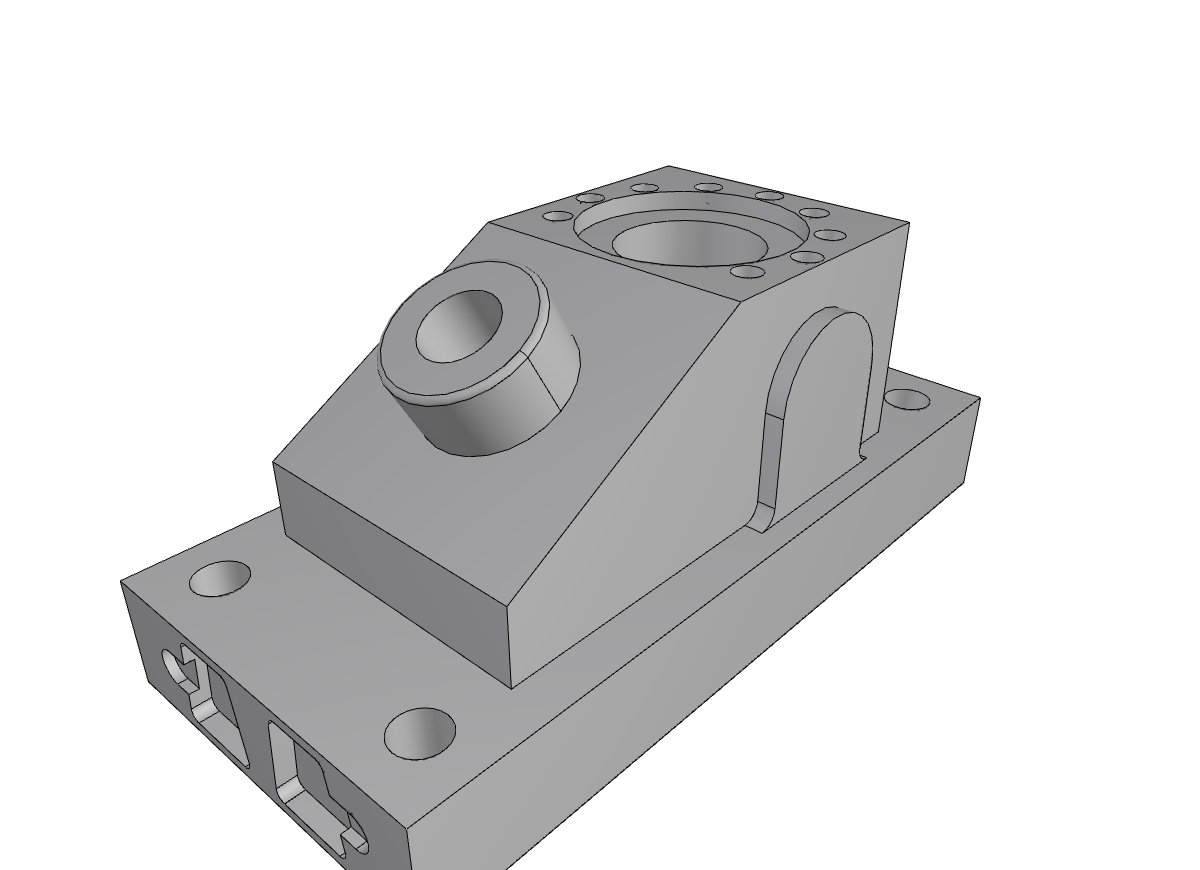
Tracking Shape Evolution with HistoryGraph#
When defeaturing a CAD model, you often need to know what happened to specific faces. Did a face get deleted? Was it modified into a different face? The HistoryGraph class provides answers through a graph-based tracking system.
Why Track History?#
Consider a workflow where you:
Extract a feature (e.g., a hole) from a model
Defeature the model to remove blends
Need to find where the hole’s faces ended up in the simplified model
Without history tracking, you’d have to re-identify the feature in the new geometry. With HistoryGraph, you can directly query: “What happened to face X?”
Common use cases:
Correspondence mapping: Map faces from original to defeatured model
Deleted face detection: Check if a specific feature was removed
Pipeline tracing: Track changes through multiple operations
Visualization: Show which faces changed and how
Key Concepts#
Evolution Types#
The HistoryGraph tracks two types of shape evolution:
MODIFIED: A shape was replaced by another shape.
The original shape is marked as inactive
The new shape takes its place
Example: A face is trimmed and becomes a smaller face
GENERATED: A new shape was created from an existing shape.
The source shape remains active
The new shape is a child of the source
Example: An edge split creates two new edges from one
The DAG Structure#
HistoryGraph maintains a directed acyclic graph (DAG) where:
Nodes represent shapes (faces, edges) with metadata
Edges represent evolution relationships
Original Operation 1          Operation 2
────────────────────────────────────────────────────────

Face A ─── MODIFIED ───> Face A' ─── MODIFIED ───> Face A''
                              │
                              └── GENERATED ───> Face B

Face C ─── [deleted] ───> (marked as deleted)

Face D ─── [unchanged] ───> Face D (remains active)
Each node stores:
shape: The actualTopoDS_Shapeobjectis_deleted: Whether the shape was deletedis_active: Whether the shape is in the current modeloperation_id: Which operation created/modified it
Using HistoryGraph with Defeaturer#
The simplest way to use history tracking is through the Defeaturer class, which maintains a unified HistoryGraph automatically:
from volmdlr.shapes import Solid
from volmdlr_tools.shape_editing import Defeaturer

# Load model and perform defeaturing
solid = Solid.from_brep("data/brep/ANC101.brep")
defeaturer = Defeaturer(solid)
defeaturer.remove_cavities()
defeaturer.remove_blends(max_radius=5.0)

# Access the unified history graph
history = defeaturer.history_graph

# Query a specific face from the original model
original_faces = list(solid.faces)
original_face = original_faces[10].wrapped  # Get the TopoDS_Face

# Was it deleted?
if history.is_deleted(original_face):
    print("Face 10 was deleted")
elif history.is_modified(original_face):
    # Get what it became
    final_faces = history.get_last_modified(original_face)
    print(f"Face 10 evolved into {len(final_faces)} face(s)")
else:
    print("Face 10 is unchanged")
Convenience Methods on Defeaturer#
The Defeaturer class provides shortcuts for common queries:
Each takes the index of a face of the original shape and answers in indices into the current one:
# Check if a face was deleted
is_gone = defeaturer.is_face_deleted(face_id)

# Get where a face ended up
final_ids = defeaturer.get_last_modified(face_id)

# Get the surface a face became, even once it has left the current shape
final_face = defeaturer.last_image(face_id)

# Get complete evolution info as a dictionary
evolution = defeaturer.get_face_evolution(face_id)
print(f"Deleted: {evolution['deleted']}")
print(f"Modified: {evolution['modified']}")
print(f"Final faces: {len(evolution['modified_to'])}")
print(f"Operations: {evolution['operations']}")

# Get indices of all deleted faces
deleted_indices = defeaturer.get_deleted_face_indices()
print(f"Deleted face indices: {deleted_indices}")
Query Methods Reference#
Method |
Description |
Returns |
|---|---|---|
|
Check if shape was deleted |
|
|
Check if shape has modifications |
|
|
Check if shape is in current model |
|
|
Check if shape generated new shapes |
|
|
Get immediate modifications |
|
|
Get generated shapes |
|
|
Get final state (follows chain) |
|
|
Get final state, or the shape itself if the history never touched it (pass-through) |
|
|
Like above, but returns |
|
Understanding the Difference#
get_modified(): Returns direct children (one step)get_last_modified(): Follows the chain to leaf nodes (all steps)
# If Face A -> Face A' -> Face A''
history.get_modified(face_a)       # Returns [face_a_prime]
history.get_last_modified(face_a)  # Returns [face_a_double_prime]
Visualizing the History#
You can visualize the history graph using the plot_data() method:
# Generate visualization data
plot_data = history.plot_data(layout="spring")

# The result can be used with plot_data library
# Colors indicate state:
# - Red: Deleted shapes
# - Green: Active shapes (in final model)
# - Blue: Intermediate shapes

# Edge colors indicate evolution type:
# - Orange: MODIFIED
# - Purple: GENERATED
Advanced: Working with HistoryGraph Directly#
For custom defeaturing pipelines, you can create and manipulate HistoryGraph instances directly.
Creating from a Remover’s History#
When you use a low-level remover, it records a BRep history that tracks how shapes evolved. Convert it to a HistoryGraph:
from volmdlr_tools.shape_editing import HistoryGraph
from volmdlr_tools.shape_editing.defeaturing import FeatureRemover

# Perform removal
remover = FeatureRemover(shape=my_solid)
remover.remove_features([1, 2, 3])

# Create history graph from the remover's history
history = HistoryGraph.from_brep_history(
    my_solid.wrapped,  # Initial shape
    remover.history    # BRep history from the remover
)
Accumulating Several Inputs into One Graph#
from_brep_history builds a graph from a single input shape. When one operation
consumes several inputs (for example the arguments and the tools of a boolean),
call add_brep_history once per input to accumulate them all into the same graph:
history = HistoryGraph()
history.add_brep_history(argument.wrapped, operation.history)
history.add_brep_history(tool.wrapped, operation.history)
add_brep_history records deleted, modified and generated evolutions for every
face and edge of the input shape (from_brep_history is a thin wrapper that creates
an empty graph and calls it once).
Concatenating Histories#
When performing multiple operations, you can merge histories:
# First operation
history1 = HistoryGraph.from_brep_history(shape1, remover1.history)

# Second operation (on the result of first)
history2 = HistoryGraph.from_brep_history(shape2, remover2.history)

# Concatenate: history1 now tracks both operations
history1.concatenate(history2)

# Query against original shape
final_faces = history1.get_last_modified(original_face)
The concatenate() method:
Finds leaves of the first history (shapes with no successors)
Finds roots of the second history
Matches them using
IsPartner()(topological identity)Connects matched pairs to form a unified DAG
Manual Construction#
For complete control, build the graph manually:
history = HistoryGraph()

# Add a root (original shape)
history.add_root(original_face)

# Record a modification
history.add_modified(before_face, after_face)

# Record a deletion
history.set_deleted(removed_face)

# Record a generation
history.add_generated(source_edge, new_edge)
Checking Consistency#
Verify that the history is consistent with a shape:
is_consistent = history.check_consistency(current_shape.wrapped)
if not is_consistent:
    print("Warning: Some active shapes in history not found in current model")
Complete Example#
from volmdlr.shapes import Solid
from volmdlr_tools.shape_editing import Defeaturer

# Load a model
solid = Solid.from_brep("data/brep/ANC101.brep")

# Defeature
defeaturer = Defeaturer(solid)
defeaturer.remove_cavities()
defeaturer.remove_blends(max_radius=3.0)

# Analyze what happened to each face
print("Face Evolution Report:")
print("=" * 50)

for face_id in range(defeaturer.original_face_count):
    if defeaturer.is_face_deleted(face_id):
        status = "DELETED"
    else:
        final = defeaturer.get_last_modified(face_id)
        if final:
            status = f"MODIFIED -> {len(final)} face(s)"
        else:
            status = "UNCHANGED"

    print(f"Face {face_id:3d}: {status}")

# Summary
deleted_count = len(defeaturer.get_deleted_face_indices())
print(f"\nTotal faces deleted: {deleted_count}")
print(f"History graph: {defeaturer.history_graph}")
Tips and Best Practices#
Use Defeaturer for most cases: It handles history concatenation automatically.
Query with wrapped shapes: The history tracks the underlying kernel shape objects, not volmdlr wrappers. Use
.wrappedto get the underlying shape.Understand shape identity: Two shapes are the same if
shape1.IsPartner(shape2)returnsTrue. This is how the history graph matches shapes across operations.Check for deletion first: Always check
is_deleted()beforeget_last_modified(), as deleted shapes have no final state.Use
get_last_image_or_original(): This method handles the common case where you want the final shape if modified, the original if unchanged, orNoneif deleted.
See Also#
Defeaturing Concepts - Defeaturing fundamentals
Defeaturer - High-level API tutorial
Attributed Adjacency Graph (AAG) - Attributed Adjacency Graph (related topology analysis)