
Defeaturer#
The high-level, chainable API for defeaturing CAD models.
Note
Prerequisites: Defeaturing Concepts
This tutorial assumes you understand the basics of defeaturing, including the distinction between soft and hard features. If you haven’t read the concepts section, we recommend starting there.
Tip
Tutorial Data File: ANC101.brep
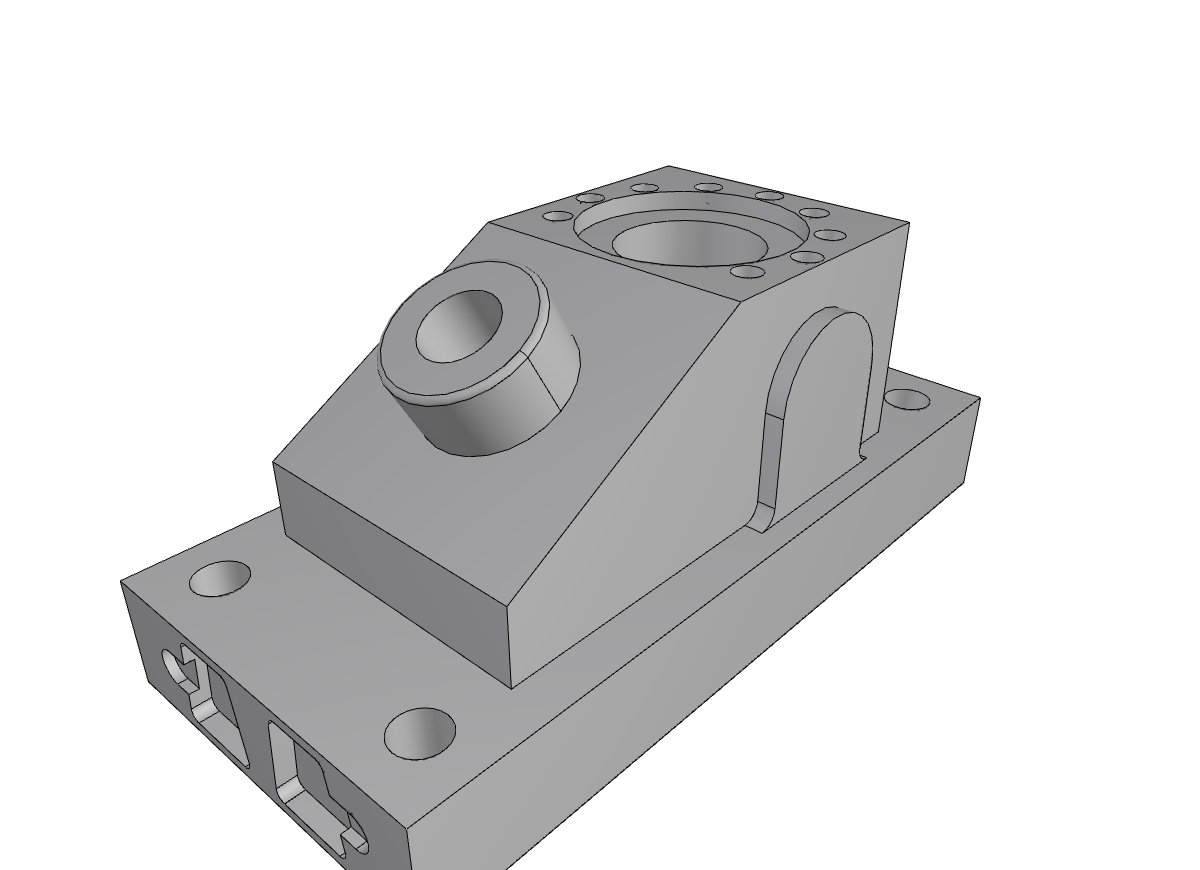
Using the Defeaturer#
The Defeaturer class is the recommended entry point for defeaturing operations. It provides a simple, chainable API for removing features from CAD models while automatically tracking the history of modifications.
Quick Start#
Here’s a minimal example to get you started:
from volmdlr.shapes import Solid
from volmdlr_tools.shape_editing import Defeaturer

# Load your model
solid = Solid.from_brep("data/brep/ANC101.brep")

# Remove all cavities and blends
result = (
    Defeaturer(solid)
    .remove_cavities()
    .remove_blends(max_radius=5.0)
    .result
)
In just a few lines, you’ve removed holes, pockets, and fillets/chamfers from your model.
Step-by-Step Tutorial#
Step 1: Create a Defeaturer#
Start by wrapping your solid in a Defeaturer instance:
from volmdlr.shapes import Solid
from volmdlr_tools.shape_editing import Defeaturer

# Load a model
solid = Solid.from_brep("data/brep/ANC101.brep")

# Create the defeaturer
defeaturer = Defeaturer(solid)

# Check initial state
print(f"Original shape has {defeaturer.face_count} faces")
The Defeaturer keeps track of:
The original shape (never modified)
The current shape (updated after each operation)
A history of all operations performed
Step 2: Remove Features#
The Defeaturer provides several methods to remove different types of features.
Removing Cavities#
Cavities include holes, pockets, and other concave features that cut into the solid:
defeaturer.remove_cavities()
print(f"After cavity removal: {defeaturer.face_count} faces")
This method uses the FeatureProcessor internally to identify all cavities, then removes them.
Removing Blends (Fillets and Chamfers)#
Blends are the rounded or beveled edges that smooth transitions between faces:
defeaturer.remove_blends(max_radius=10.0)
Parameters:
max_radius: Only remove blends with radius smaller than this value. Larger blends are preserved. Default is0.5.incremental: IfTrue, removes blends one at a time, re-analyzing after each removal. This is slower but more robust for complex geometries. Default isFalse.check_validity: IfTrue, validates the result after each blend removal. Default isFalse.
Removing Specific Features#
If you know exactly which features to remove, you can extract them first using FeatureProcessor and pass them directly:
from volmdlr_tools.features import FeatureProcessor

# Extract features from the shape
processor = FeatureProcessor(shape=defeaturer.shape)
processor.extract_cavities()

# Remove only the first 3 cavities
defeaturer.remove_features(processor.cavities[:3])
Removing by Face Indices#
For fine-grained control, you can remove faces by their indices:
# Remove faces 5, 6, and 7
defeaturer.remove_by_face_indices([5, 6, 7])
Face indices are 0-based and correspond to the order of faces in the current shape’s Faces() list.
Step 3: Get Results#
After performing operations, access the modified shape:
# Get the modified shape
result = defeaturer.result  # or defeaturer.shape

# Compare face counts
print(f"Original: {defeaturer.original_face_count} faces")
print(f"Current: {defeaturer.face_count} faces")
print(f"Faces removed: {defeaturer.original_face_count - defeaturer.face_count}")
You can also get a formatted summary:
print(defeaturer.summary())
Output:
Defeaturing Summary
========================================
Original faces: 156
Current faces: 42
Operations: 2

1. remove_cavities
   Features removed: 8
   Faces: 156 -> 98
2. remove_blends
   Features removed: 12
   Faces: 98 -> 42
   Parameters: max_radius=5.0, incremental=False
The Fluent Interface#
All Defeaturer methods return self, enabling method chaining (the fluent pattern):
result = (
    Defeaturer(solid)
    .remove_cavities()
    .remove_blends(max_radius=2.0)
    .remove_by_face_indices([10, 11])
    .result
)
This produces the same result as calling each method separately but is more concise.
Inspecting Operation History#
Every operation is recorded in the history list:
for step in defeaturer.history:
    print(f"Operation: {step.operation}")
    print(f"  Features removed: {step.features_removed}")
    print(f"  Faces: {step.faces_before} -> {step.faces_after}")
    if step.parameters:
        print(f"  Parameters: {step.parameters}")
Each DefeaturingStep contains:
operation: Name of the operation (e.g.,"remove_cavities")features_removed: Number of features removedfaces_before/faces_after: Face counts before and afterparameters: Any parameters passed to the operationremoved_face_indices: Indices of faces that were removed
Querying Shape Evolution#
For detailed tracking of what happened to specific faces, use the history_graph:
# Faces of the original shape are named by their index
face_id = 0

# Check if it was deleted
if defeaturer.is_face_deleted(face_id):
    print("Face was deleted")
else:
    # Get where it ended up in the current shape
    final_faces = defeaturer.get_last_modified(face_id)
    print(f"Face evolved into {len(final_faces)} face(s)")
For more details, see the History Tracking section.
Resetting#
To start over with the original shape:
defeaturer.reset()
print(f"Back to {defeaturer.face_count} faces")  # Same as original
This clears all modifications and history.
Complete Example#
Here’s a full working example:
from volmdlr.shapes import Solid
from volmdlr_tools.shape_editing import Defeaturer

# Load a complex part
solid = Solid.from_brep("data/brep/ANC101.brep")
print(f"Loaded model with {len(list(solid.faces))} faces")

# Create defeaturer
defeaturer = Defeaturer(solid)

# Remove features step by step
defeaturer.remove_cavities()
print(f"After cavity removal: {defeaturer.face_count} faces")

defeaturer.remove_blends(max_radius=3.0)
print(f"After blend removal: {defeaturer.face_count} faces")

# Get the simplified result
simplified = defeaturer.result

# Print summary
print("\n" + defeaturer.summary())

# Check what happened to a specific face
evolution = defeaturer.get_face_evolution(10)
print(f"\nFace 10 evolution:")
print(f"  Deleted: {evolution['deleted']}")
print(f"  Modified: {evolution['modified']}")
print(f"  Operations: {evolution['operations']}")
Tips and Best Practices#
Start with cavities: Removing cavities first often simplifies blend removal.
Use appropriate
max_radius: Settingmax_radiustoo high may remove structural features; too low may miss decorative fillets.Try incremental mode for complex parts: If single-pass blend removal fails, try
incremental=True:defeaturer.remove_blends(max_radius=5.0, incremental=True)
Check the summary: Always review
defeaturer.summary()to verify the operation performed as expected.Preserve the original: The
original_shapeproperty always gives you the unmodified input.
Next Steps#
History Tracking: Learn to trace shape evolution through operations
Concepts: Understand soft vs hard features and the defeaturing strategy
See Also#
Defeaturing Concepts - Understanding defeaturing fundamentals
History Tracking - Tracking shape evolution
Feature Processor - Extracting features to remove