
Blend Feature Recognition#
Detect fillets and rounds, classify their boundary edges, and group them into radius-continuous chains.
Note
Prerequisites: Attributed Adjacency Graph (AAG)
The BlendExtractor requires an Attributed Adjacency Graph (AAG) representation of the shape. If you’re new to AAG, start with the concepts documentation.
Tip
Tutorial Data Files:
Blend Feature Recognition#
Blends — the fillets and rounds that soften the sharp edges and corners of a part — are among the
most common transition features in machined and cast components. volmdlr_tools provides the
BlendExtractor to detect them, describe the role each of their boundary edges plays, and group
them into chains that share a common radius.
Why Detect Blends?#
Recognising blends supports several downstream tasks:
Reverse engineering — a blend is usually the last operation applied to a part. Detecting blends lets the reconstruction remove them first, recover the underlying sharp model, and re-apply them as parametric fillet operations.
Manufacturing analysis — fillet radii drive tool selection and machining strategy.
Simplification — small cosmetic rounds can be suppressed to speed up meshing and simulation without changing the part’s essential shape.
Running the Extractor#
BlendExtractor works on an Attributed Adjacency Graph (AAG). Construct it with a maximum radius
(blends larger than this are ignored) and call perform(); the recognised blends are then attached
to the graph and available as feature objects.
from volmdlr.model import VolumeModel

from volmdlr_tools.features.extractors.blend import BlendExtractor
from volmdlr_tools.graph.faces import AttributedAdjacencyGraph

solid = VolumeModel.from_step("part.step").primitives[0]
aag = AttributedAdjacencyGraph(shape=solid)

extractor = BlendExtractor(aag, max_radius=5.0)
extractor.perform()

blend_face_ids = extractor.ids          # 0-based face indices carrying a blend
blends = extractor.get_blends()         # one Blend feature per blend face
chains = extractor.get_chains()         # blends grouped by continuous radius
Edge Roles#
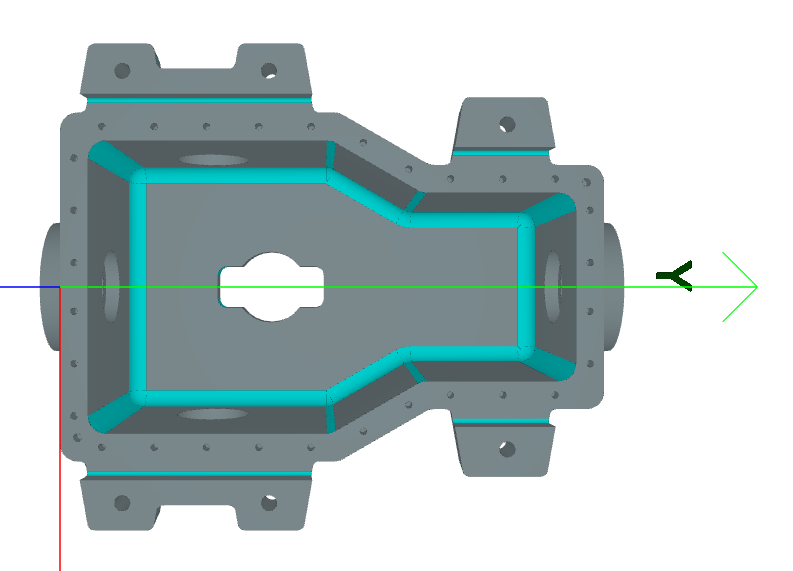
Every blend face is bounded by edges that play distinct roles. The extractor classifies them, and they are the key to telling one kind of blend from another.
Spring edges — the edges adjacent to the support faces, i.e. the faces the rounded surface blends between. They are smooth (tangent) transitions: the blend rolls onto each support face without a sharp crease. An ordinary edge blend has two spring edges, one per support face.
Terminating edges — the short edges that close the blend at its ends, where the fillet runs out against another face rather than continuing.
Cross edges — edges shared with a neighbouring blend. A cross edge is where one blend meets another: a corner blend joining several edge blends, or a smaller fillet rolling onto a larger one.
Smooth edges — tangent edges internal to the rounded surface that do not bound the blend.
Blend Kinds#
BlendExtractor labels each blend face with a BlendType:
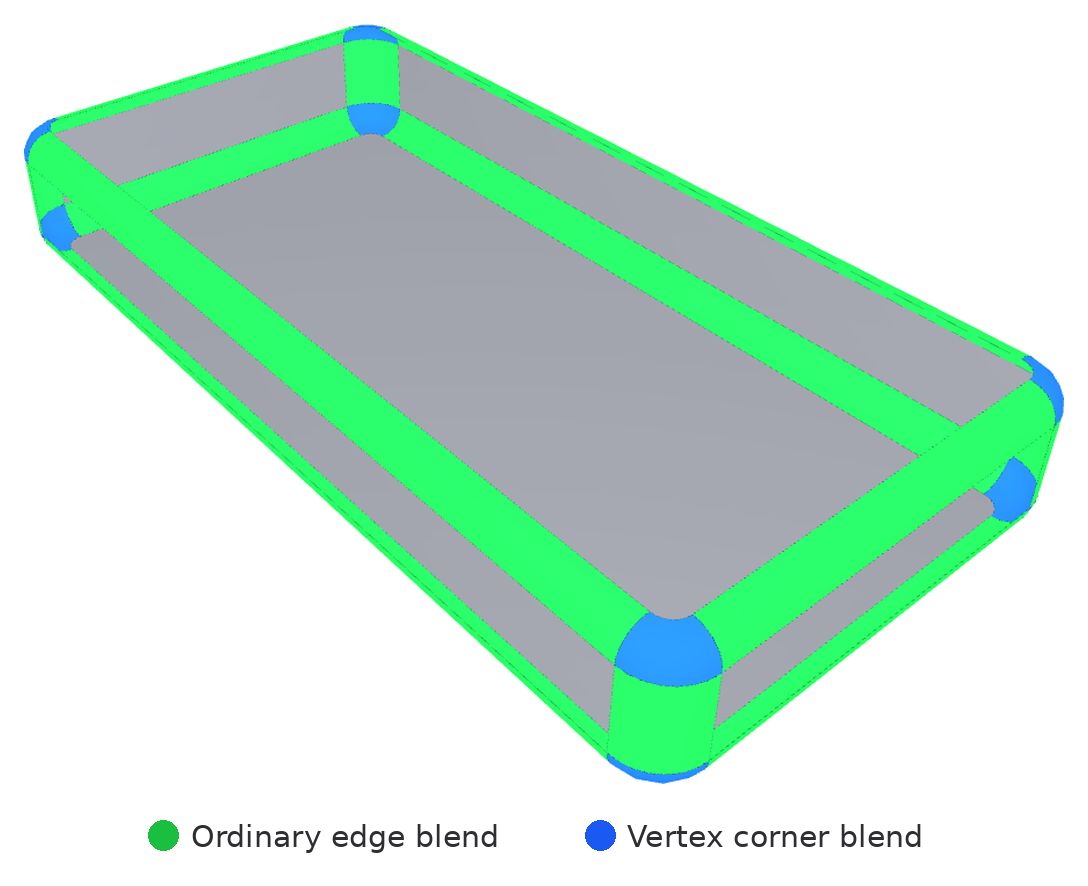
Ordinary — a standard edge blend with two spring edges, one per support face. This is the common fillet running along an edge.
Vertex — a corner blend, a patch where three or more edge blends meet at a vertex. It has no spring edges of its own; its boundary edges are the cross edges it shares with those edge blends.
Cliff — a blend with a single spring edge, such as a fillet that blends a face into a step.
Uncertain — a blend candidate whose edge roles could not be resolved confidently. It is kept for inspection but claims no edges.
The part below shows the two kinds that are visible on the surface: ordinary edge blends run along the edges (green), while vertex blends patch the corners where several edge blends meet (blue). The ordinary/cliff distinction is not a surface difference — it is the number of spring edges (two for ordinary, one for cliff) — so cliff blends are described above rather than shown here.
Each blend carries a BlendAttribute recording its kind, its edge-role index lists, and its
radius. BlendAttribute.owned_cross_edges_indices gives the once-per-owner view of cross edges
(an edge blend owns its cross edges; a corner blend mirrors its neighbours’ and owns none), so
per-edge accounting never counts a shared edge twice.
Blend Chains#
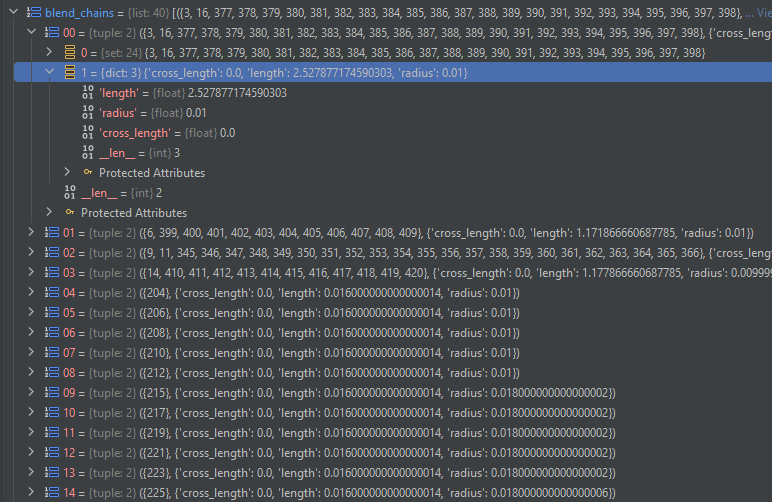
A single fillet often spans several faces of the same radius — around a pocket, along a
multi-segment edge, or across the corners that join them. get_chains() groups such faces into
BlendChain features by radius continuity, so a fillet applied as one modelling operation is
recovered as one chain rather than a scatter of faces.
Isolable Blends#
An isolable blend is one that can be reduced to an isolated profile-corner round — typically a rounded corner of an extrusion profile that is better re-created when the profile is reconstructed than removed as a separate fillet. A blend is isolable when it has:
exactly two spring edges, and
a two-edge boundary in which each edge is either a terminating edge or a cross edge to a corner blend that terminates cleanly.
A cross edge terminates cleanly when the corner (vertex) blend it reaches has exactly one terminating edge and that terminating edge shares no vertex with the cross edge. When both conditions hold, collapsing the corner blend leaves the edge blend a standalone isolated round.
This capability is recorded on BlendAttribute.isolable. It is broader than
BlendAttribute.is_isolated, which reports the already-standalone state — a blend bounded by two
spring edges and two terminating edges, carrying no cross edges at all. Every already-isolated blend
is isolable; the reverse need not hold.
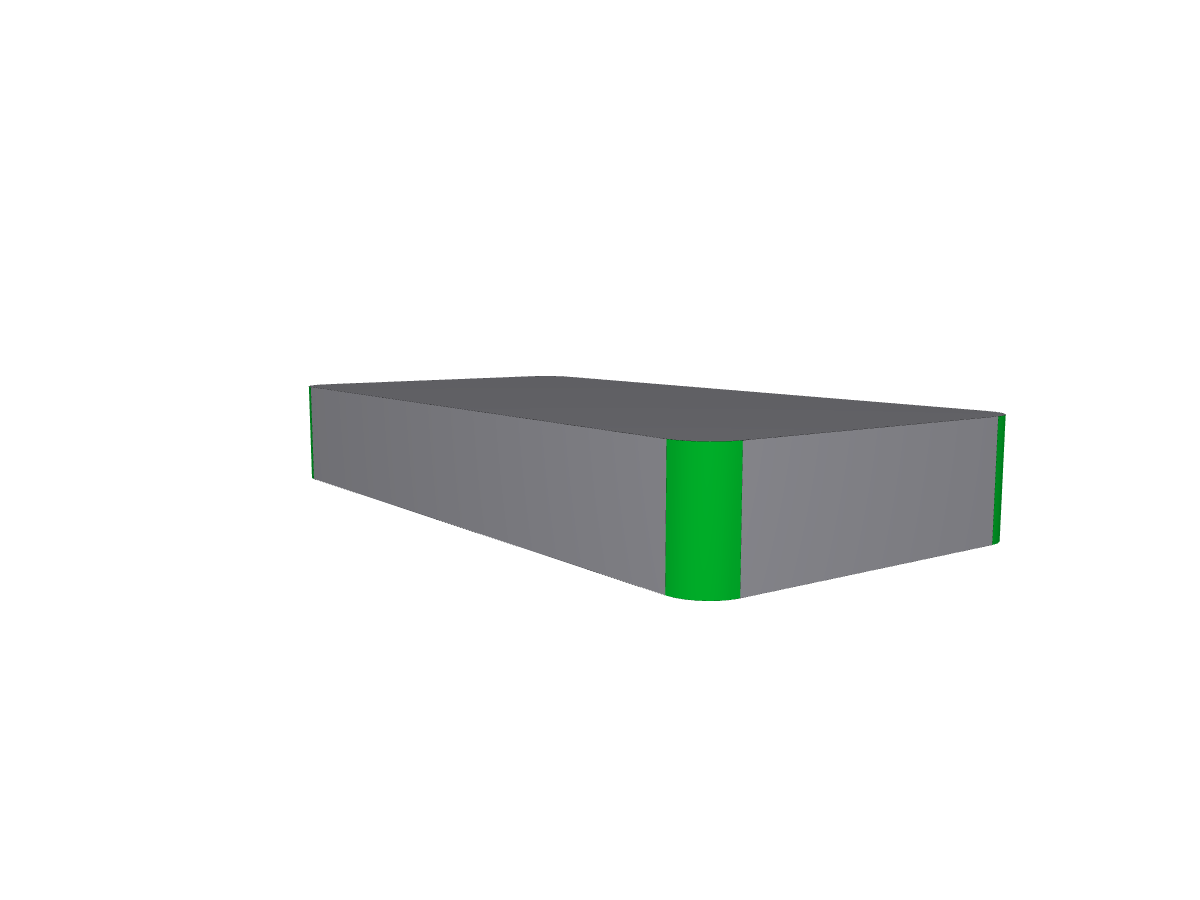
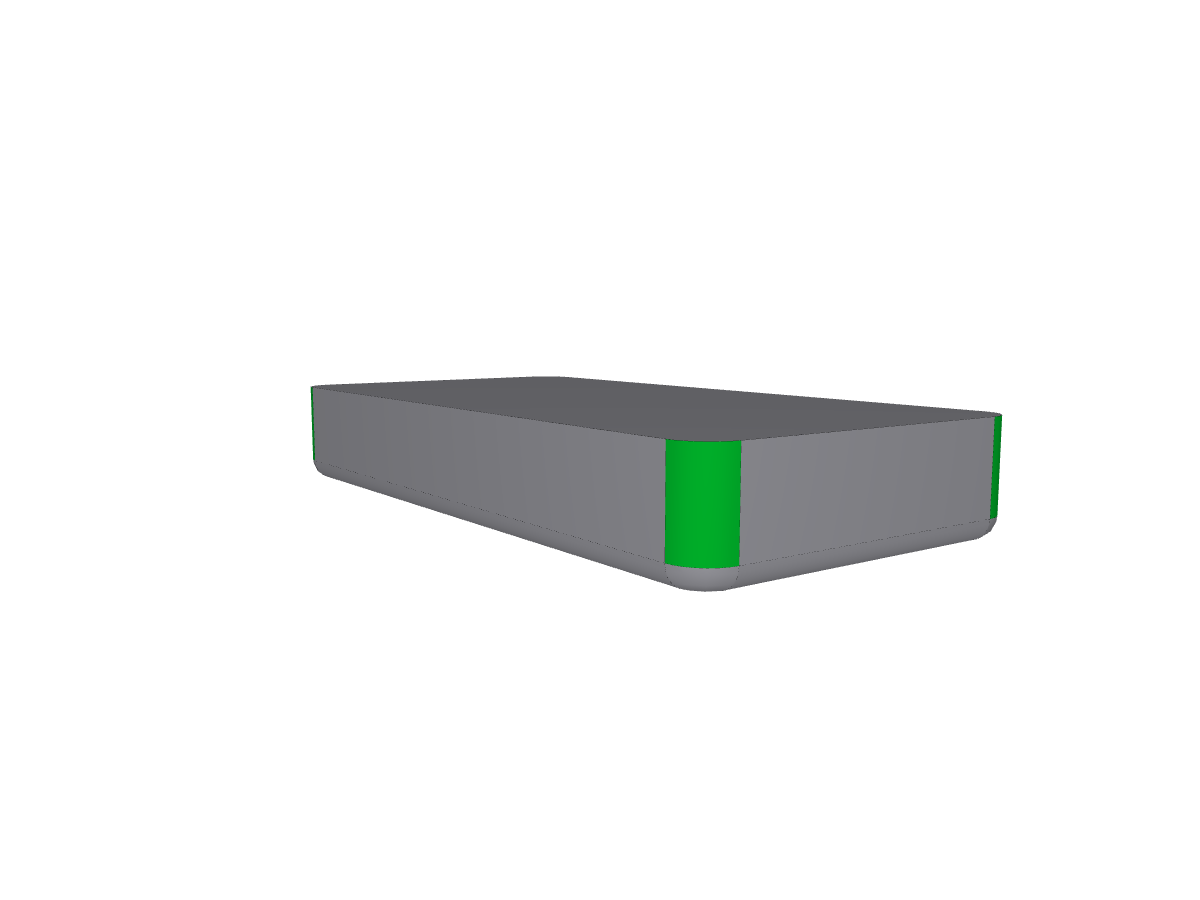
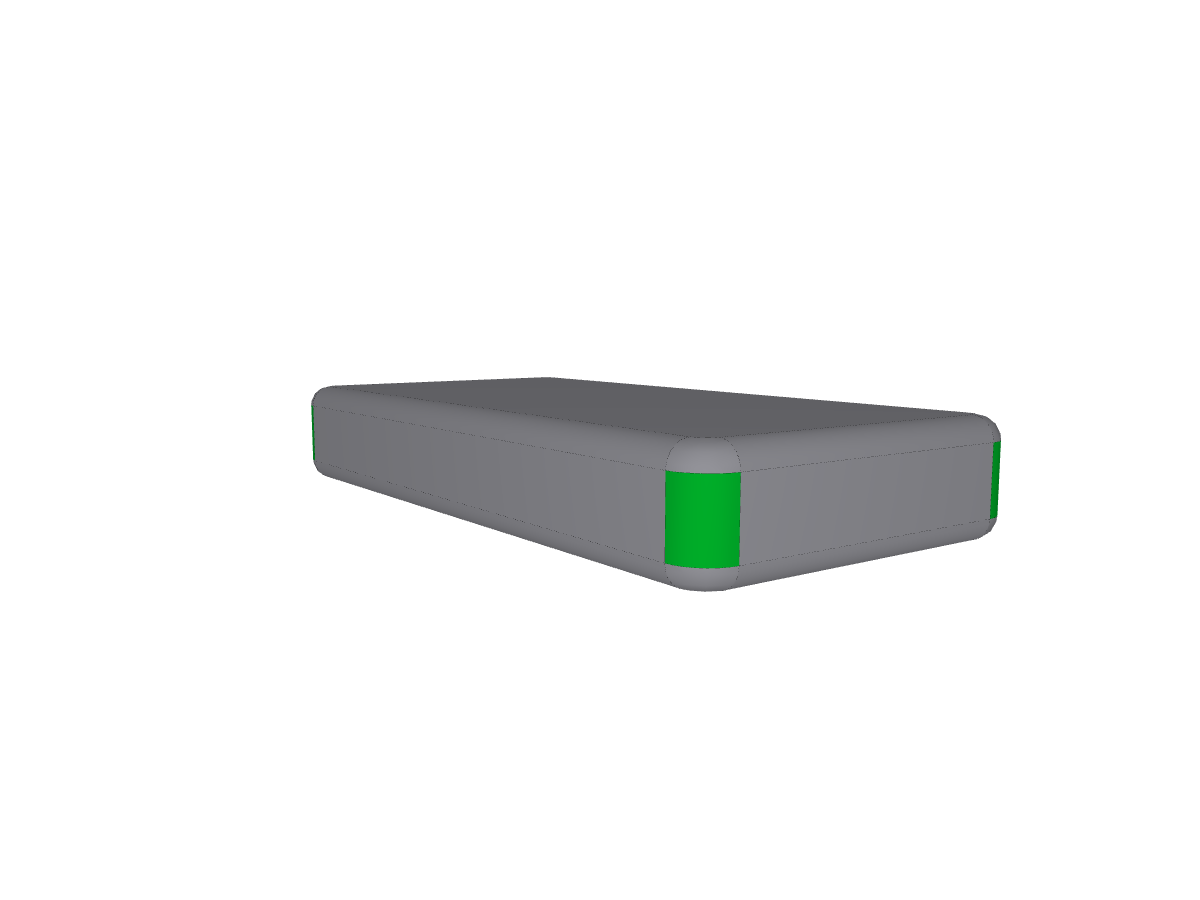
The three cases below illustrate the two-edge boundary. In each, the four highlighted faces are the isolable blends.
Two terminating edges#
The original standalone definition: each blend is closed at both ends by a terminating edge and
carries no cross edges. These blends are also is_isolated.
One terminating edge and one cross edge#
Each blend is closed at one end by a terminating edge and at the other by a cross edge to a corner blend that terminates cleanly.
Two cross edges#
Each blend is closed at both ends by a cross edge, each reaching a corner blend that terminates cleanly.
extractor.perform()
isolable_faces = [
    face_id
    for face_id in extractor.ids
    if aag.graph.nodes[face_id]["blend_attribute"].isolable
]
See Also#
Feature Processor - Feature extraction orchestrator
Attributed Adjacency Graph (AAG) - Attributed Adjacency Graph
Hole Feature Recognition - Hole recognition